
config.toolbarStartupExpanded = false;
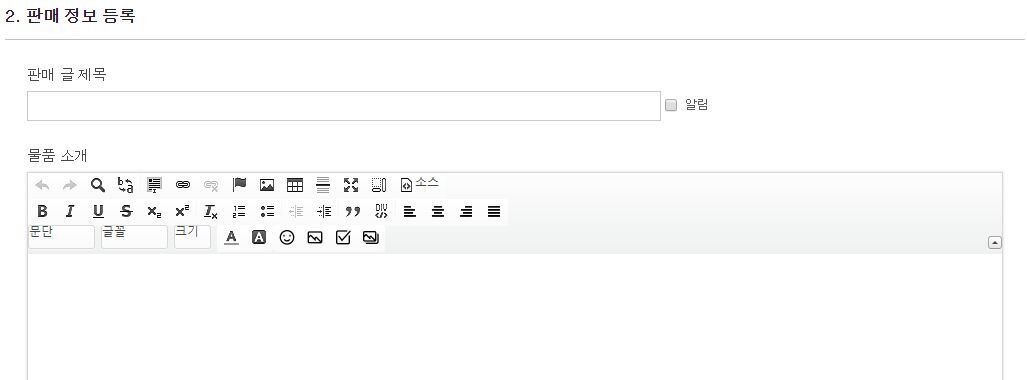
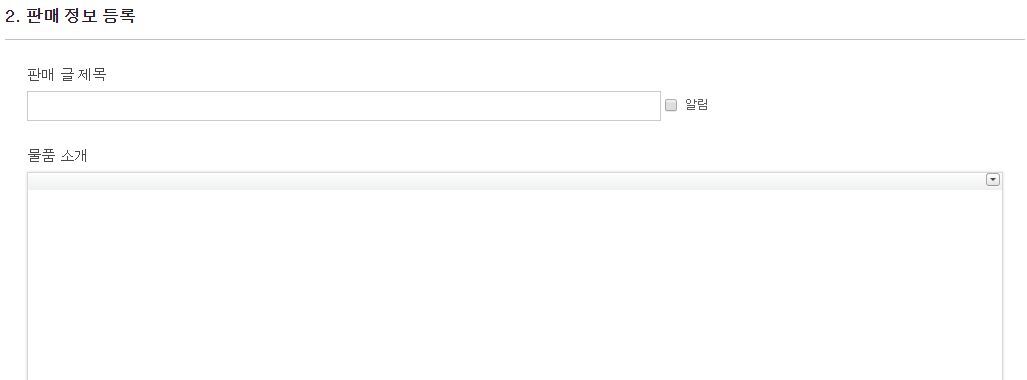
ckeditor를 사용하는 XE 글쓰기 화면에서 초기 설정으로 ckeditor의 툴바를 접는 방법입니다.
ckeditor의 툴바를 접기 전
ckedior의 툴바를 접은 후
파일 수정 경로 : /common/js/plugins/ckeditor/ckeditor/config.js
CKEDITOR.editorConfig = function( config ) {
   // Define changes to default configuration here. For example:
   config.toolbarStartupExpanded = false; // 툴바 접기
};
참조.
http://gipyeonglee.tistory.com/126
https://godpeople.or.kr/board/3362305
https://www.yangel.org/DODOxe/memory/1559
/** * @license Copyright (c) 2003-2017, CKSource - Frederico Knabben. All rights reserved. * For licensing, see LICENSE.md or http://ckeditor.com/license */CKEDITOR.editorConfig = function( config ) {// Define changes to default configuration here. For example:// config.language = 'fr';// config.uiColor = '#AADC6E';// config.extraPlugins ="uploadimage";config.extraPlugins ="uploadimage,amembed,amemoji";config.toolbarStartupExpanded = false; // 툴바 접기};function checkMobileDevice() { var mobileKeyWords = new Array('Android', 'iPhone', 'iPod', 'BlackBerry', 'Windows CE', 'SAMSUNG', 'LG', 'MOT', 'SonyEricsson'); for (var info in mobileKeyWords) { if (navigator.userAgent.match(mobileKeyWordsinfo) != null) { return true; } } return false;}if(checkMobileDevice()==true){ CKEDITOR.editorConfig = function( config ) { config.toolbarStartupExpanded = false; // 툴바 접기 config.height = 230; // 높이 설정 config.removePlugins = 'liststyle,tabletools,contextmenu'; // context menu disable }; CKEDITOR.replace( 'iframe', { removePlugins: 'contextmenu,tabletools' // context menu disable } );}
1 좋아요
0 답글
1582 조회